AI projects and experiments
These are AI projects and experiments, built end-to-end, either for AI companies or using AI as a collaborator.
I show the reasoning when being wrong is expensive.
When a wrong answer costs money or safety, people need to see where it came from. This is how I've incorporated AI into 5 projects, and how I kept myself in the loop.
Experiments
Professional projects where I leveraged AI to ideate, verify, and accelerate
Healthcare marketing site
How I leveraged AI to save three weeks of time on a new website
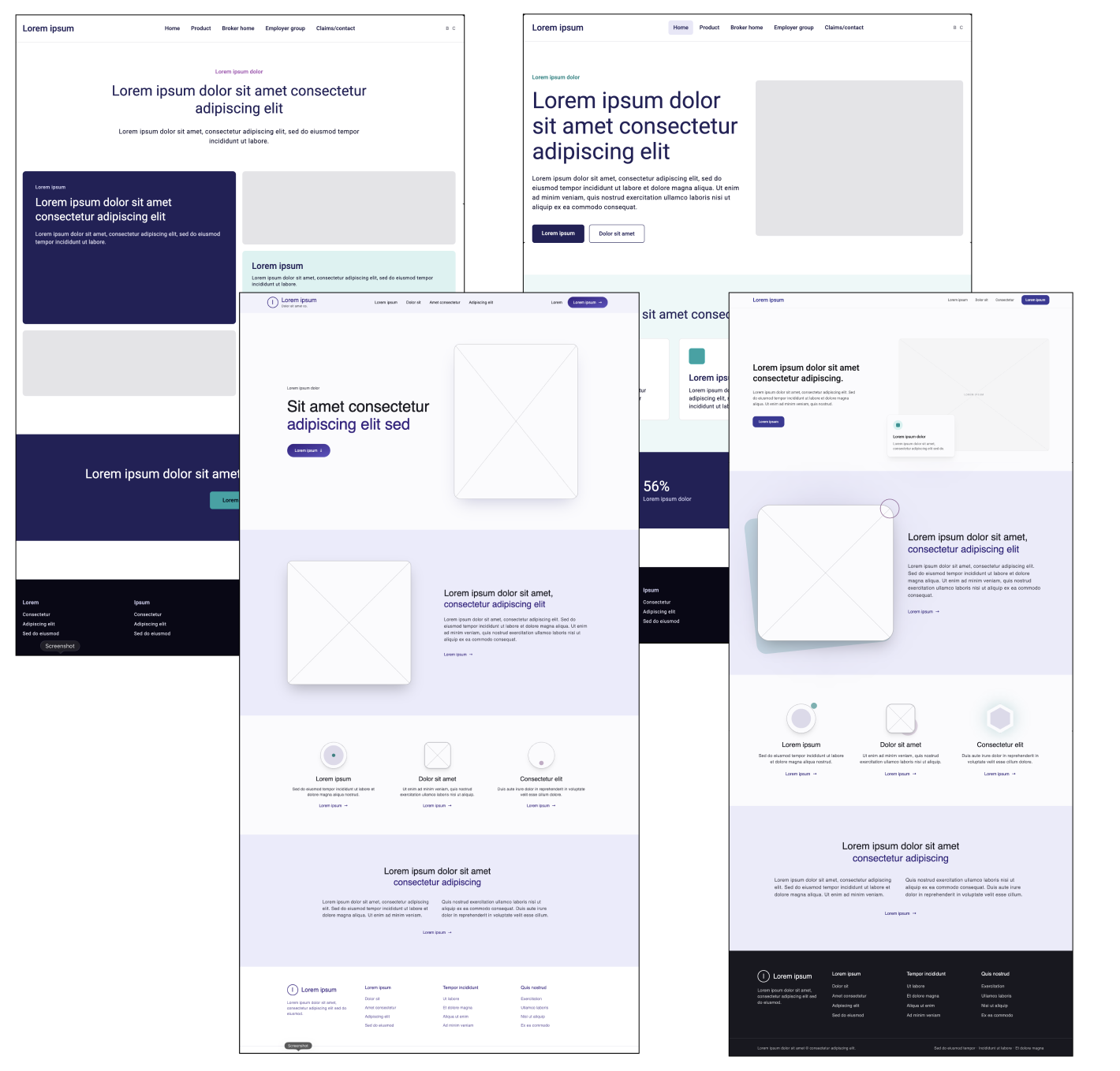
What I made. The client's first design system, and a five-page marketing site built on it.
How I used AI. I gave Loveable the main brand colors, and prompted it to create typescales and color schemes. I was then able to output in a format where it could be uploaded to Figma, and the developer had a ready-to-go CSS file. This not only greatly reduced the amount of time this would have taken (by about two weeks), but it also reduced the human error factor. Using the same color schemes and typescales, I had Lovable produce initial homepage designs, so the options came back in high fidelity and I skipped lo-fi and mid-fi entirely.
What I did. Built the component system in Figma by hand, across desktop, tablet, and mobile. The model explored directions. Components are what keep a site consistent.
The calls I made:
Refined the initial prompts until the output met my standards and were easily able to import into Figma.
Told the client the options were AI-generated. Nobody was protecting my effort, so they said what they actually disliked and why.
Caught the contrast failure. The model put the main brand color (a dark purple) where a link goes, close enough to black that it didn't read as a link.
Skipped lo-fi entirely. This was a visual direction call on a marketing homepage, so there was no structure to protect from being anchored by high fidelity.
Kept the generation tool inside a safe boundary. It wasn't company-approved, so I used it for public-facing branding only, never anything confidential on the healthcare account.
What I learned. People give you better notes when they know a machine made the thing.
Getting Kiro to create documentation drafts
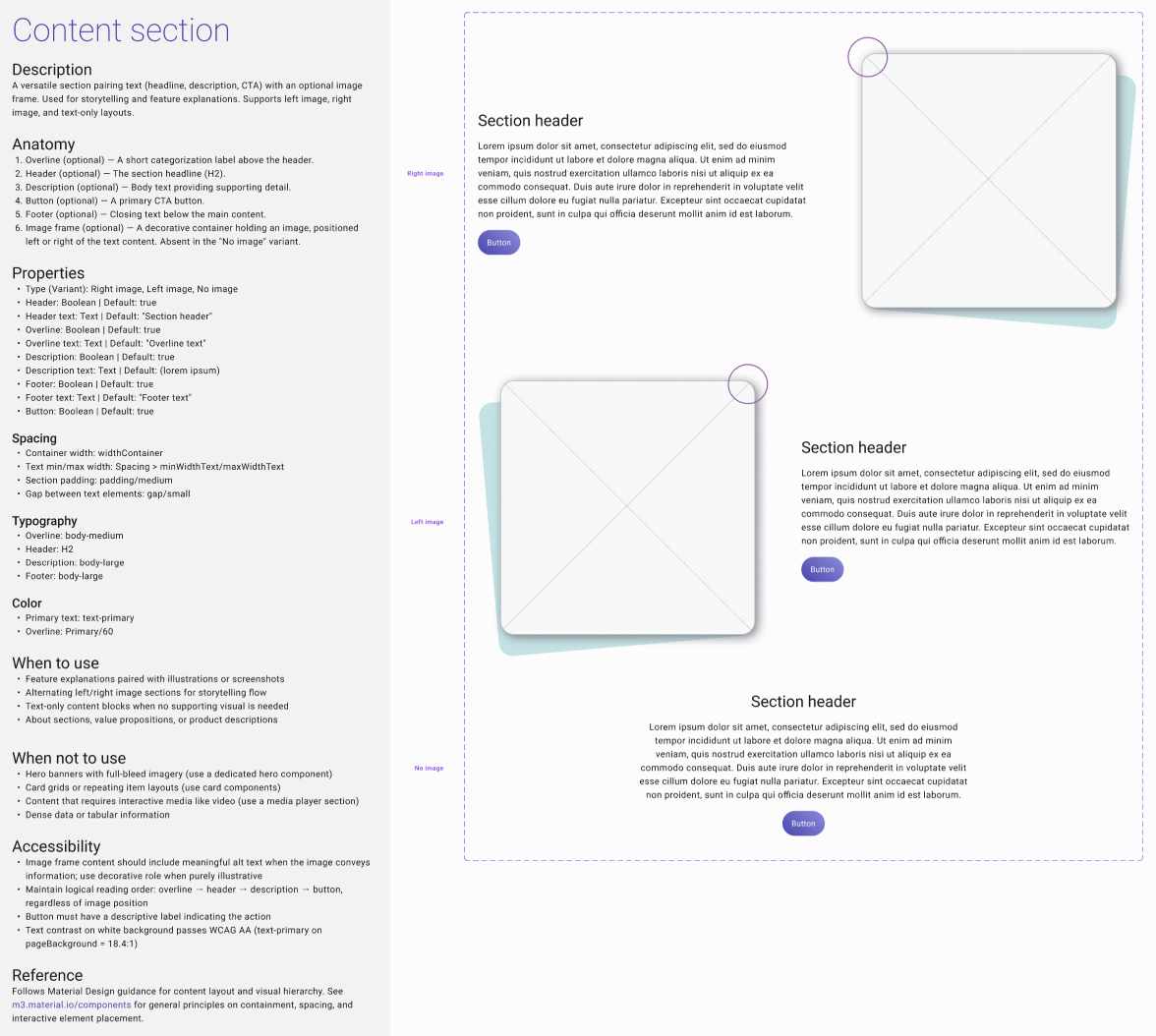
What I made. Documentation for the design system's components and tokens, and a set of sample layouts to work from.
How I used AI. Kiro reads and writes to Figma directly. It wrote the component and token documentation in minutes. By hand that would have taken me a couple of weeks.
What I did. Spent two days reviewing the content, fixing the errors it surfaced, and formatting the text. Then went back through the sample layouts and connected the variables and styles myself.
The calls I made:
Used the documentation pass as an audit. Reading every component in sequence showed me mistakes I'd stopped seeing while designing. I fixed those before publishing.
Checked what the layers were pointing at. Kiro pasted raw color and spacing values in instead of referencing the variables. The file looks right either way. It breaks later, when someone updates a token and half the file doesn't change.
Got more specific as I went. The more components it wrote, the better I got at saying what I wanted back.
Kept it on ideation and initial layout. It's fast at getting something on the canvas. It isn't building the thing that has to stay consistent.
What I learned: How to have an AI assistant help me put judgment and design expertise into a systematic documentation form.
It read the system more carefully than I could and followed it less carefully than I told it to.
Coding a trade-data visualization in an afternoon
How I caught an error the dashboard couldn't show
What I made. A Python Dash tool for a chemical manufacturer that showed which materials they were paying the most tariffs on. One material showed up in 250 of the products they shipped, which wasn't USMCA compliant. It would have cost them $7.5 million if it hadn't been caught.
How I used AI. I needed real data in the tool, and most of building a data pipeline is tedious. Copilot wrote parts of the
Python.
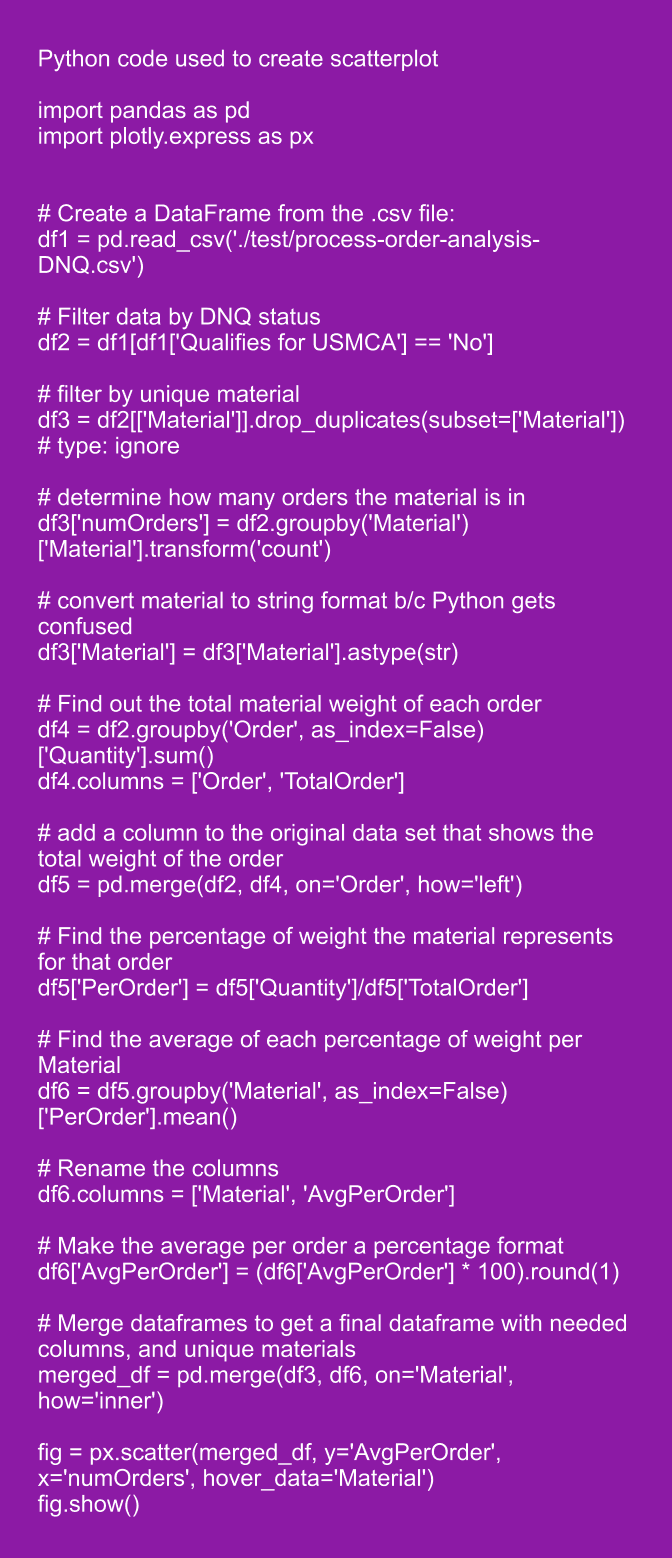
What I did. The first version connected the database variables wrong and returned an incorrect result. I found it in the code and fixed the connections.
The calls I made:
Fed it one step at a time. Handing over the whole database and the goal produced nothing. Writing the code step by step worked.
Checked the code, not the chart. If the query pulls the wrong column, the chart still looks fine. I checked the code, not the output.
Used a vetted tool on real data. Copilot was approved for this dataset before real data touched it.
Built it in Dash. We had just moved the front end off React, and I had already made Dash match our design system, so it looked like the rest of the product from the start.
What it left. A method I reuse whenever I point a coding model at a real dataset. Small steps, reading what it generates, to create a model in hours, not days.
Shipped with AI
Shipped products I designed that used machine learning and AI to surface and generate information
Making furnace cleaning recommendations available
Where the model stops and the scheduler starts
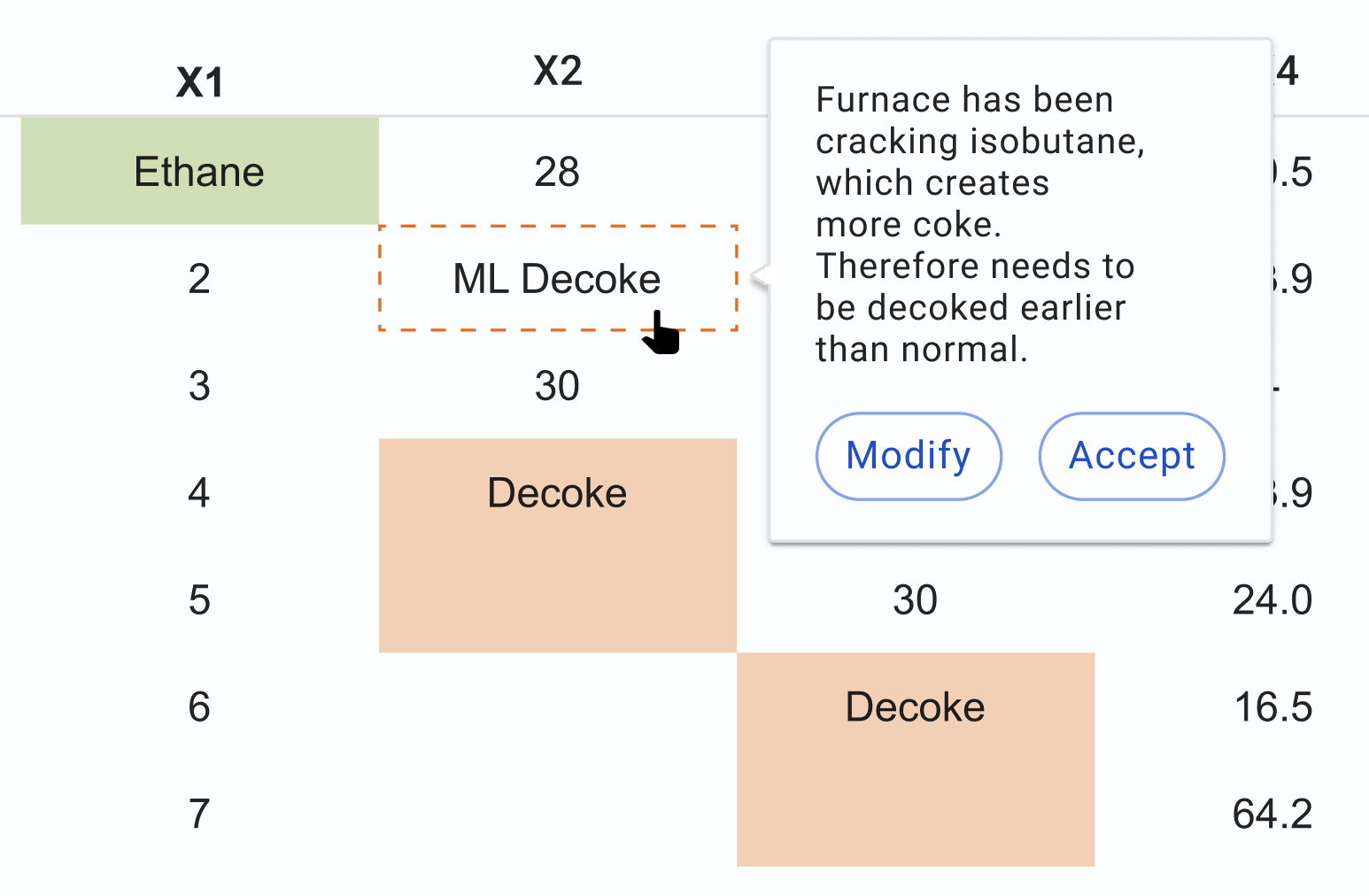
What I made. A cleaning scheduler for a petrochemical furnace operation. After 30 days, furnaces get noticeably less efficient, but cleaning takes a furnace offline for two days and sites may only want two units down at a time.
Everyone needs to be able to plan around when furnaces are scheduled to be down. Unscheduled cleaning makes this a lot more difficult.
How I used AI. The scheduler carries machine-learning recommendations, but those needed to be weighed against a human operator's decision-making. I designed a way for operators to see both.
What I did. Designed the recommendation to come from the model and the schedule to stay with the operators. The model reads one furnace. The operator is holding the maintenance queue, how many units are already down, and what the plant owes its customers this month.
The calls I made:
Marked model output as model output. On these dashboards we separated machine learning results from measured readings, so you could always tell which you were looking at.
Left the schedule editable. A recommendation you can't override is a decision, and this wasn't the model's decision to make.
Designed for plants running at very different loads. One site ran nearly every furnace it had, another ran three or four of ten. Taking a unit down means something different at each, and the recommendation doesn't change.
Shipped it before the data was ready. Around 3000 tags per furnace had to be mapped by hand, and until a site's tags were done the scheduler was the only thing that site could use.
What it left. A way to build components that read as recommendations rather than decisions.
Mad Hatter AI / Looking Glass
The AI can find relevant data. Officers still have to write the report.
What shipped. A search-and-report workflow for body-cam footage: an officer uploads a shift of video, finds the moment by describing it, and leaves with a report.
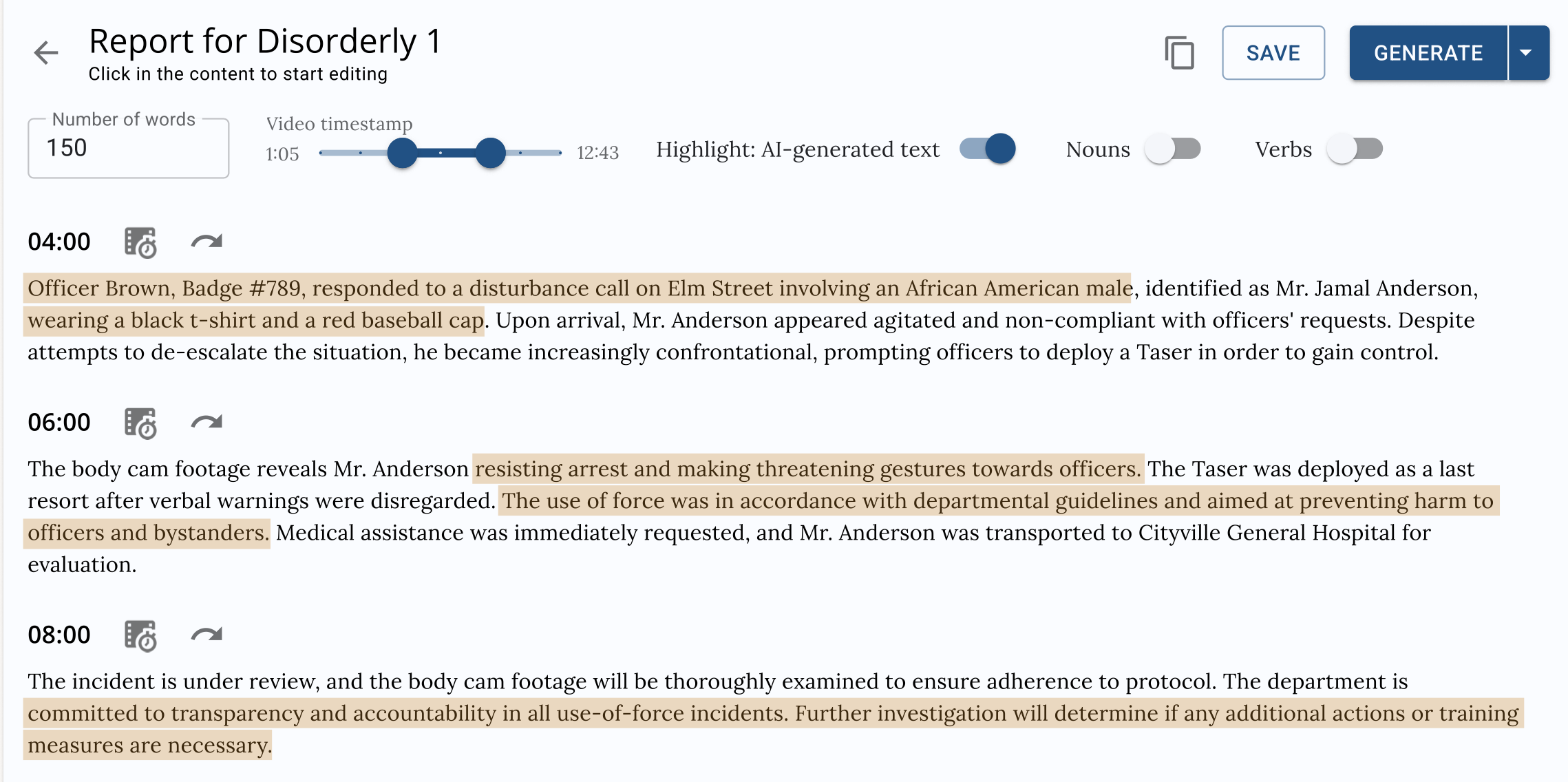
How I used AI. I designed around AI constraints. The model was already trained and running on AI. It searches a shift of footage by description, matching on color from a predefined set and on words spoken aloud, and it drafts the report text.
It didn't judge what belonged in reports or what officers saw.
What I did: I built the critical path, going from uploaded videos to finished reports, by interviewing a the CEO. I created smart filters, based on color, created a way to upload files, and provided a clear path to file and download reports.
The calls I made:
Constrained the search to what the model can answer. Color runs off a predefined set. Purple returns results; a free-text guess at indigo returns nothing. I made the set the input rather than let an officer type into a dead end.
Searched on what an officer remembers. A red shirt. An elderly man in brown. A phrase someone said out loud.
Marked the generated text so it can't be pasted and forgotten. The draft is highlighted down to nouns and verbs. The officer works through it before it's done.
Didn't explain the model, because nothing needed explaining. At Lyondell, showing the model's reasoning was mandatory and went into governance. The output was simply "Here's a timestamp, the officer can watch the clip."
What it left. Three departments were already using the product before the redesign, so the redesign isn't what got them there, and I don't have figures on what changed. The founder worked on it about two years, couldn't raise, and moved on.